Author: Caffeinated Dev

  • SQL Server containers and MSSQL_SA_PASSWORD_FILE

    A problem that’s recently had me tearing out (what little remains of) my hair. When spinning up SQL Server containers I’ve had no trouble using environment variables (MSSQL_SA_PASSWORD) to set the SA password. Storing sensitive information like passwords in env files isn’t exactly a brilliant practice.

    I recently learned of the variable MSSQL_SA_PASSWORD_FILE

    Instead of providing the password directly, it allows you to provide the path to a file containing your plaintext SA password.

    One important “gotcha” I found is that it fails silently when not configured properly. By that I mean if you forget to mount the secret or get the path wrong (ID10T errors I made when trying it out) you’ll get no warnings or errors about the SA password. Something… will be set as the password and you’ll end up with a SQL Server instance that you can’t log in to.

    Nice one! 👍

    services:
      hastur: # Backend SQL Server
        image: mcr.microsoft.com/mssql/server:2025-latest
        ports:
          - "5501:1433"
        environment:
          ACCEPT_EULA: Y
          MSSQL_PID: Express
          MSSQL_SA_PASSWORD_FILE: /run/secrets/hastur-sa-pass-file
        secrets:
          - hastur-sa-pass-file
        restart: unless-stopped
          
    secrets:
      hastur-sa-pass-file:
        file: '.secrets/hastur-sa-pass'

    Of course, this is just a “pseudo secret” stored in a file somewhere on your Docker host. Better than nothing but still not ideal. Because I’m using a TrueNAS box as my Docker host I’ve been storing secrets in an encrypted dataset.

    This only protects data when the machine is powered off and the key is stored locally anyway so I’m not getting much security.

    My next step will be to try using secrets through Docker Swarm.

    There are a few things I’ll need to get my head around first.
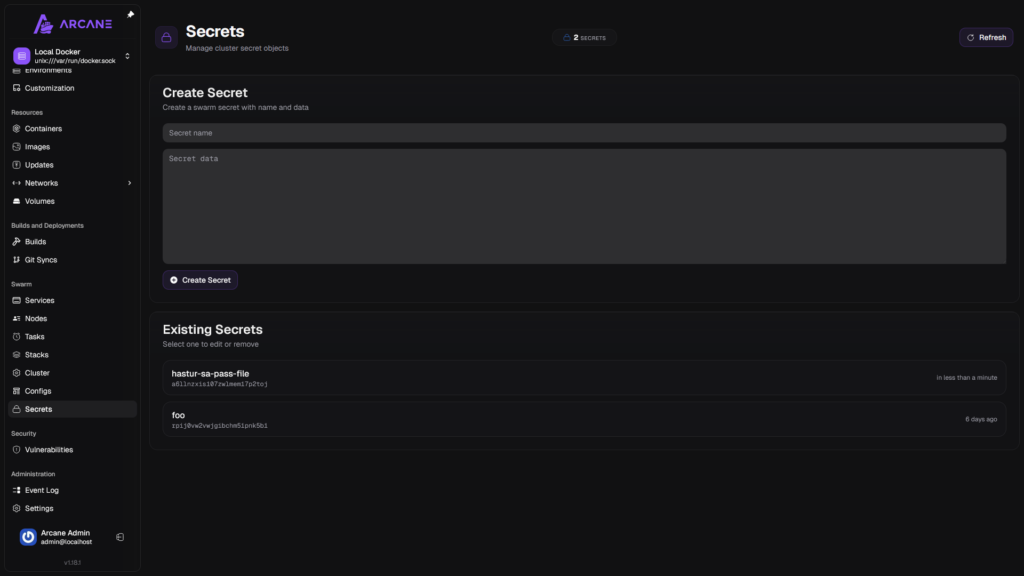
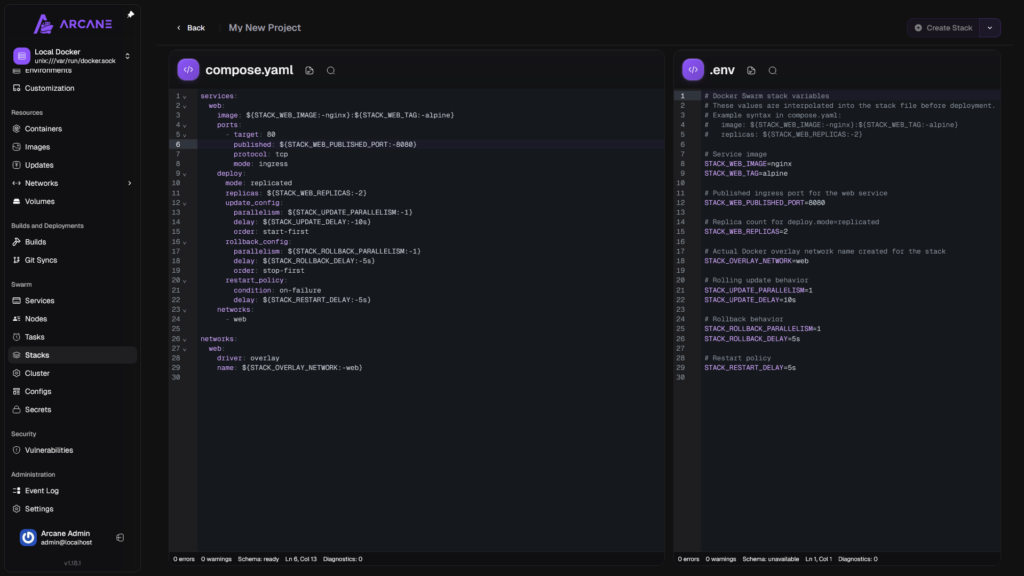
    Secret management with Arcane

    Which means that a stack will be needed instead of a project
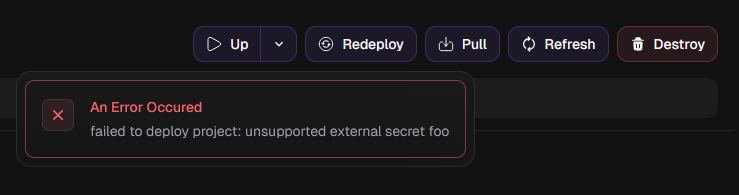
    External secrets cannot be used with projects
    Example Stack with Docker Swarm… I’ve got some research to do…

  • Hashicorp Vault and Client Certificates

    One of my side projects involves taking a rather poorly designed

    My initial plan was to use client certificates to allow my API project to authenticate to the vault. I’d create a self signed cert on my desktop, add the public key to the vault and store the private key (somewhat) securely (on my desktop I can grab the cert by thumbprint, on a docker host it’s stored as a secret).

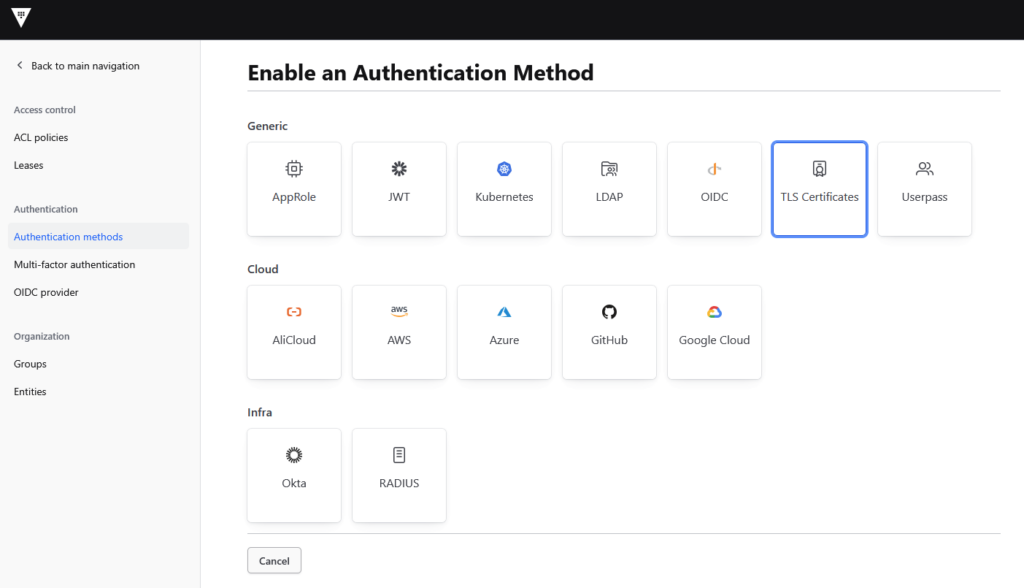
    First step, adding TLC Certificate authentication and adding adding my public key

    This is pretty much the same as what I do when I need to add client certs to an Entra App Registration when one of my APIs needs to make a downstream call (i.e. when my API also needs to make calls to Microsoft Graph)

    I immediately hit a road block…

    The default configuration didn’t allow client certificates… oops. Easily fixed by updating vault-config.hcl:

    tls_disable_client_certs = “false”

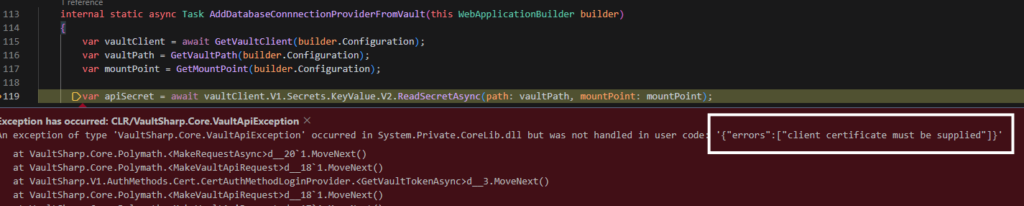
    The certificate is successfully passed to the vault, but without any ACL policies in place we’re denied access – progress, at least

    ‘{“errors”:[“1 error occurred:\n\t* permission denied\n\n”]}’

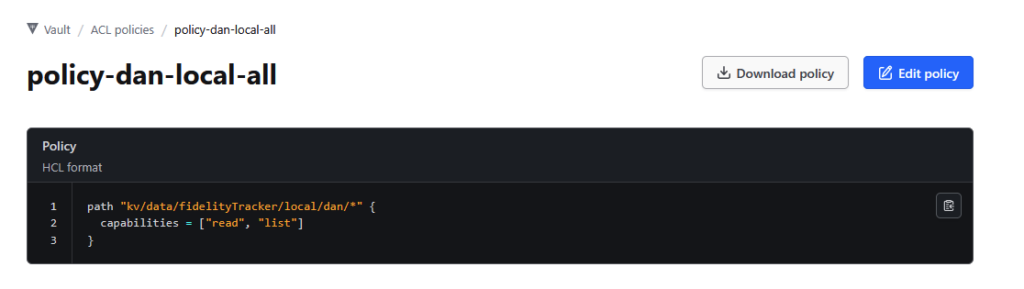
    One rather nasty little surprise I received was that if you’re using v2 of kv secrets engine, your paths need to take the form:

    {kv}/data/{path}

    Such as in the above example. I spent a few hours banging my head against the wall trying to figure out why the path kv/mySecret wouldn’t work but kv/* was…

    Please be aware that this is probably a terrible policy design but I’m just getting started.

    Once you’ve created your policy, add it to your certificate through the command line (because apparently not everything can be done with the web interface)

    The command I used to add the default policy and my custom policy was as follows:

    write auth/cert/certs/fidelitytracker_api_local_dan policies=default,policy-dan-local-all

    You can check your cert as follows:

    read auth/cert/certs/fidelitytracker_api_local_dan

    Summary

    Sure it would have just been easier to use Azure Key Vault. With the frequency it’ll be used it would be cheap enough but I’d rather run as much of the infrastructure for my projects myself. And I wanted to get some hands on experience with Hashicorp Vault.

    I’m aware that there are a bunch of steps I missed out, if there is any interest in this post then I’ll see about adding a more details quickstart guide.

  • Hello world!

    Welcome to WordPress. This is your first post. Edit or delete it, then start writing!